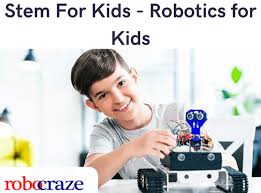
Robotics is one of the most exciting and futuristic fields for children to explore. It helps develop creativity, logical reasoning, problem-solving, and hands-on engineering skills at an early age. This “Robotics for Kids” course is designed for young learners aged 7–16, starting from the basics and gradually moving toward building fully functional robots. The course integrates science, engineering, coding, and design into interactive sessions, projects, and activities that make learning super fun and impactful.
Module 1: Introduction to Robotics & Engineering Concepts
The course begins by introducing students to the world of robots—what they are, why they are built, and how they help in the real world. Kids learn the difference between machines, robots, automation, and artificial intelligence. This module provides a strong foundation by explaining simple engineering concepts such as motion, energy, balance, gears, levers, pulleys, and basic physics that make up a robot’s movement. Fun activities like identifying robots around them—vacuum cleaners, cars, toys, and factories—help children understand everyday applications.
Key Topics:
What is a Robot?
Types of Robots (Service robots, Industrial robots, Toy robots, Home robots)
Basic Robotics Terminology
Simple Engineering Principles
Real-life Applications of Robots
Safety Measures for Robotics Kits
Module 2: Understanding Robotics Components
In this module, children explore the building blocks of a robot. They learn about different components, their functions, and how each part works together. By getting hands-on access to motors, sensors, batteries, controllers, and wheels, kids learn the basics of hardware in a playful and interactive manner.
Key Components Explained:
Motors (DC motors, Servo motors)
Wheels & Chassis
Gears & Gear Ratios
Sensors (Ultrasonic, IR, Light, Touch)
Battery & Power Supply
Microcontrollers (Arduino, EV3, ESP32 – based on kit)
Wires, Connectors & Circuit Basics
Children perform small experiments such as glowing an LED, using a buzzer, or making a fan rotate. These activities strengthen their understanding of circuits and power flow.
Module 3: Introduction to Coding for Robotics
Robots need instructions to perform tasks, and this module introduces children to coding in a fun and simple way. Depending on age, students either start with block-based coding (Scratch, Blockly, LEGO Mindstorms) or beginner-friendly text-based coding (Arduino IDE, MakeCode, Python basics).
Key Concepts:
Why Robots Need Coding
Understanding Algorithms & Flowcharts
Using Block-Based Coding Interfaces
Writing Basic Programs
Loops, Conditions & Input/Output
Uploading Code to a Robot
Students code their first project—making an LED blink or making a motor turn—giving them instant results and boosting their excitement.
Module 4: Building Your First Robot
After learning the basics, kids begin assembling their first simple robot. This helps them understand mechanics, electronics, and coding all in one project. Example starter robots include:
Line Follower Robot
Obstacle Avoidance Robot
Light-Following Robot
Simple Wheeled Robot
Activities include:
Connecting motors to the chassis
Adding wheels and sensors
Wiring the battery
Uploading simple movement code
Each child builds their own version of a basic robot and learns how different parts must work together to create movement.
Module 5: Sensors & Smart Robotics
Sensors help robots understand their environment. This module focuses on reading sensor values and making robots respond intelligently.
Kids Learn:
What Sensors Do
How Robots “See” the Environment
How to Read Sensor Data
Using Sensors in Code
Mini Projects Include:
Line detection using IR sensors

 0.0 Average Ratings
 0 Reviews
 12 Years Experience
 Near Gachibowli Stadium, Gachibowli